Most companies asking whether to build or buy an AI customer support agent already pay for a helpdesk, and that helpdesk vendor is already selling them an AI agent. So the real question is narrower: is the agent your helpdesk sells good enough for the work you need done, at a price that still makes sense when it succeeds? This guide answers that with current pricing, the hidden variables in per-outcome billing, and a decision matrix you can use with your support and engineering leads in the same room.
What "buy" actually costs in 2026
The big helpdesk platforms have converged on a similar model: you keep paying for human seats, and you pay again for each conversation the AI handles. The unit and the price differ.
| Vendor | Billing unit | Listed price | Notes |
|---|---|---|---|
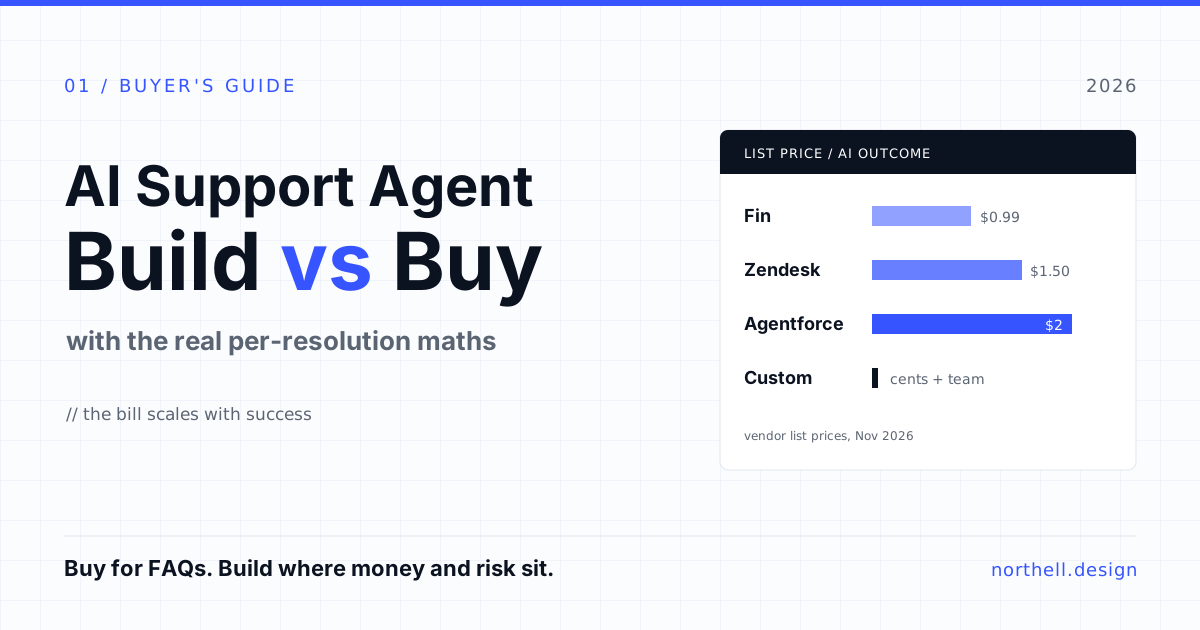
| Intercom Fin | Per outcome | $0.99 | Charged once per conversation. Per Intercom's pricing page, an outcome is a confirmed resolution, no further request for help after Fin responds, or a completed workflow, including handoffs. |
| Zendesk AI agents | Per automated resolution | $1.50 committed | Zendesk's pricing page includes 5 to 10 automated resolutions per agent seat per month depending on plan, capped at 10,000 a year, with pay-as-you-go available for extra volume. |
| Salesforce Agentforce | Per conversation, or Flex Credits | $2 per conversation, or $500 per 100,000 credits | Listed on Salesforce's Agentforce pricing page. Billing per conversation rather than per resolution changes the maths if many conversations end in a handoff. |
Prices were checked on the vendors' own pages in November 2026. They change often, and enterprise contracts are negotiated, so treat these as list prices for comparison, not quotes.
The bill scales with success
Per-outcome pricing has a property buyers tend to notice only after rollout: the better the agent performs, the more it costs. That is reasonable from the vendor's side, since you only pay when value is delivered. But it means the business case you approved at a 20% automation rate looks different at 60%.
Take a support team handling 30,000 conversations a month. Here is the AI line item at list prices, before seat licences:
| AI-resolved share | Resolved conversations | At $0.99 | At $1.50 | At $2.00 per conversation handled |
|---|---|---|---|---|
| 20% | 6,000 | $5,940 / mo | $9,000 / mo | Depends on how many conversations the agent touches, not just resolves |
| 40% | 12,000 | $11,880 / mo | $18,000 / mo | Same |
| 60% | 18,000 | $17,820 / mo | $27,000 / mo | Same |
At 60% automation, that is roughly $214,000 to $324,000 a year on outcome fees alone. That can still be a very good deal if those conversations would otherwise need several full-time agents. It is also, plainly, the budget of a small engineering team. Which is why the build question comes up.
Read the definition before the price
Two vendors at the same price can bill very different amounts for the same traffic, because "resolved" is a definition, not a fact. Intercom's definition includes a customer who does not ask for more help after Fin responds. Some of those customers were helped. Some gave up and emailed instead, or churned quietly. Neither is a scandal; it is simply how a billing rule has to work at scale. But it means your finance team and your support team should agree, before signing, on how you will audit billed outcomes against real ones. Ask for a sample of billed conversations from your trial and grade them yourself.
What "build" actually costs
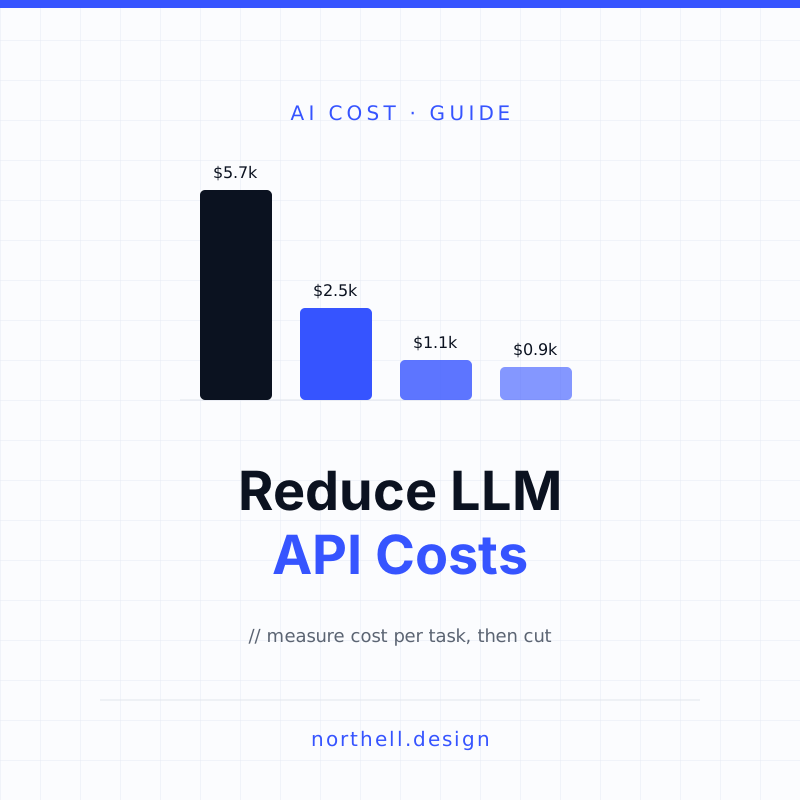
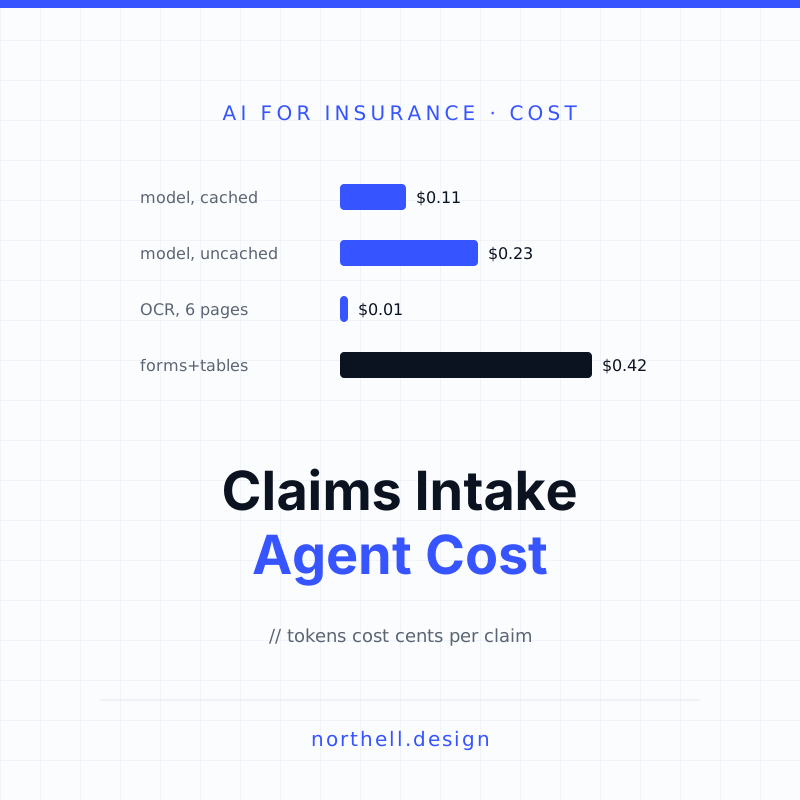
A custom agent flips the cost structure. The marginal cost of a conversation is the model bill plus some infrastructure. If a conversation uses 20,000 tokens and your model costs a few dollars per million tokens (see current rates on Anthropic's pricing page, for example), the model cost is in cents. Even with retries, retrieval and a larger model for hard cases, it is hard to get anywhere near $1 per conversation without trying. We covered how to keep that number low in our guide to reducing LLM API costs.
The real costs sit elsewhere:
- Integration. The agent needs authenticated access to orders, accounts, billing and whatever else customers ask about. If those APIs do not exist, building them is often the biggest line item, and it would be needed for a vendor agent to do the same work anyway.
- Knowledge. Retrieval over your help centre, policies and internal notes, kept current. Stale content is the most common cause of wrong answers, from any vendor or custom system. A retrieval (RAG) knowledge base is only as good as the documents behind it.
- Evaluation. A test set built from real tickets, graded answers, and a way to rerun it every time you change a prompt, model or document. Without this you cannot tell whether a change made things better or worse.
- Handoff and UX. Clear escalation to a human with full context, so customers do not repeat themselves. This is product design work, not just plumbing.
- Monitoring and ownership. Someone has to watch quality, cost and failure rates every week, indefinitely. An agent with no owner degrades as your product and policies change.
Vendor agents bundle much of this: knowledge ingestion, handoff into the human inbox, reporting. That bundle is what the per-outcome fee pays for, and for many teams it is worth it.
Where vendor agents are strong, and where they run out
Vendor agents are at their best on questions answered from published content: shipping times, plan differences, how to reset a password, where to find an invoice. They live inside the inbox your human team already uses, so handoff and reporting work on day one. Most now support actions through connectors or low-code builders, such as Zendesk's Action Builder, which covers a lot of "look up my order" requests.
They run out of road in predictable places:
- Deep product actions. Changing a subscription with proration rules, rescheduling an appointment against live capacity, reversing a transaction. Low-code action builders handle simple calls; multi-step logic with business rules belongs in code you test.
- Regulated data. In fintech and healthcare, what the agent can see, say and log is a compliance question. You may need data residency, audit trails or redaction the vendor's agent does not offer in the form your compliance team needs.
- Support inside your product. If you want the assistant embedded in your app, aware of what the user is looking at and able to act on their behalf, a helpdesk widget is often the wrong shape.
- Differentiation. If support quality is part of what you sell, an agent your competitors can switch on with the same settings is not an advantage.
Working on something like this? See our Claude Agent Development →
Decision matrix
Score your situation against each row. If most of your answers land in one column, that is your answer. If they split, read the hybrid section below.
| Factor | Points to buy | Points to build |
|---|---|---|
| Where answers come from | Public help centre and FAQs | Customer account data and product state |
| Actions needed | A few simple lookups | Multi-step changes with business rules |
| AI-resolved volume | Low thousands per month | Tens of thousands per month and growing |
| Data sensitivity | Low; standard helpdesk terms are fine | Payments, health or other regulated data |
| Where support happens | Helpdesk widget, email | Inside your own web or mobile app |
| Engineering capacity | None to spare | A team that can own the agent long-term |
| Time to first value | Weeks | A pilot in weeks, maturity over months |
The hybrid most teams end up with
In practice, "build vs buy" is often a false choice. The setup that works for many mid-size companies looks like this:
- The vendor agent is the front door. It handles FAQ-style questions where it is cheap to run and quick to tune.
- Custom tools sit behind it. Your engineers expose well-tested internal APIs for the account actions that matter, such as refund eligibility or plan changes, and the vendor agent calls them. The business logic stays in your codebase, with your tests.
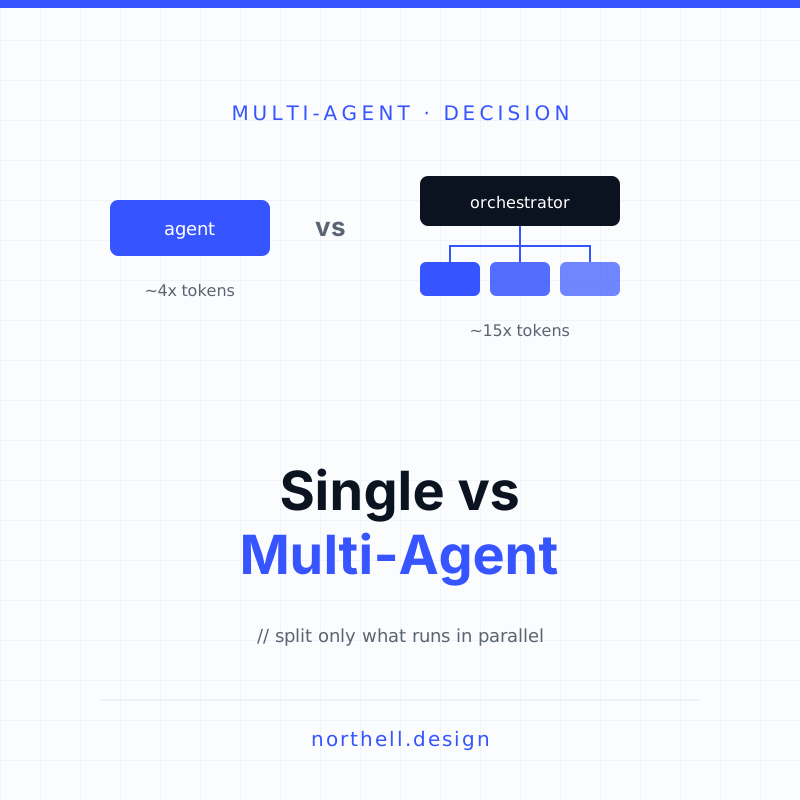
- A custom agent handles the high-value path. For the conversations that need product context, carry money or touch regulated data, a purpose-built agent runs inside your app, with its own evaluation and monitoring.
- Data is yours. Conversation logs and outcomes go to your own warehouse, so you can compare vendor and custom performance on the same metrics and change your mind later.
The fourth point is the one most often skipped, and the one that most limits your options later. Whatever you buy, keep your knowledge content and conversation data in a form you own.
Two reality checks before you commit
Automation rate is not the goal
Klarna is the most quoted example of an AI support agent at scale. In February 2024 the company said its assistant had handled 2.3 million conversations in its first month, two-thirds of its customer service chats, doing the equivalent work of 700 full-time agents. Those are Klarna's own figures. Fifteen months later, CX Dive reported that Klarna was recruiting people for customer service again, with CEO Sebastian Siemiatkowski saying it was critical that customers know "there will be always a human if you want." The lesson is not that the AI failed. It is that the target should be the right split between AI and humans, measured by customer outcomes, not the highest automation percentage you can report.
You own what the agent says
In Moffatt v. Air Canada, a British Columbia tribunal found the airline liable after its website chatbot told a customer he could claim a bereavement fare retroactively, which contradicted the actual policy. Air Canada argued the chatbot was responsible for its own actions; the tribunal rejected that. It is a small-claims decision, not binding precedent, but the logic will sound familiar to any lawyer. Buying an agent does not buy you out of this risk. Whichever route you take, budget for the guardrails: restricted topics, policy answers pulled from a single source of truth, and a clear path to a human for anything involving money, health or legal commitments.
How to run the decision in four weeks
- Week 1: Sort your tickets. Pull the last three months of conversations and tag them by type: FAQ answerable from docs, needs account data, needs an action, needs judgement. The proportions largely decide the build vs buy question for you.
- Week 2: Trial the vendor agent on real traffic. Limit it to one channel or segment. Grade a sample of its billed outcomes by hand.
- Week 3: Price both paths at your target automation rate. Use the vendor's per-outcome price at 12 to 24 months of projected volume, against a realistic build and run budget for the custom path, including ownership after launch.
- Week 4: Decide per ticket type, not per company. It is normal to buy for FAQs and build for the two or three flows where the money, risk or differentiation sits.
Our view
For most companies, buying first is the sensible default. The vendor agents are good at the easy half of support, they ship fast, and the per-outcome fee is honest pricing for real work. The mistake is assuming the same tool should handle the hard half. Once the agent has to understand your product, move money, or handle regulated data, the economics and the risk both shift towards owning the logic. Plan for that from the start: keep your data portable and put critical actions behind your own APIs, so moving the high-value conversations to a custom agent later is an upgrade, not a migration.
If you are working through this decision, Northell designs and builds custom AI agents and automation, from support-facing tools like an AI email triage agent to the internal APIs and handoff UX that vendor agents depend on. We are glad to look at your ticket mix and give you a straight answer on which parts are worth building. You can get in touch here.