Short answer: build an MCP server if your customers already spend part of their day inside an AI assistant and want to pull your product's data into it or act on it from there. Do not build one because a competitor announced theirs. An MCP server that wraps a half-finished API, with no real OAuth and no clear idea of what an agent should do, gives you a new attack surface and very little usage.
This guide is for founders, CTOs and product leads deciding whether to put an MCP server on the roadmap. It covers what you are actually building, when it pays off, how it differs from a public API, what the 2026 protocol changes mean for your maintenance budget, and an eight-step plan to scope a first version that is safe to ship.
What you are actually building
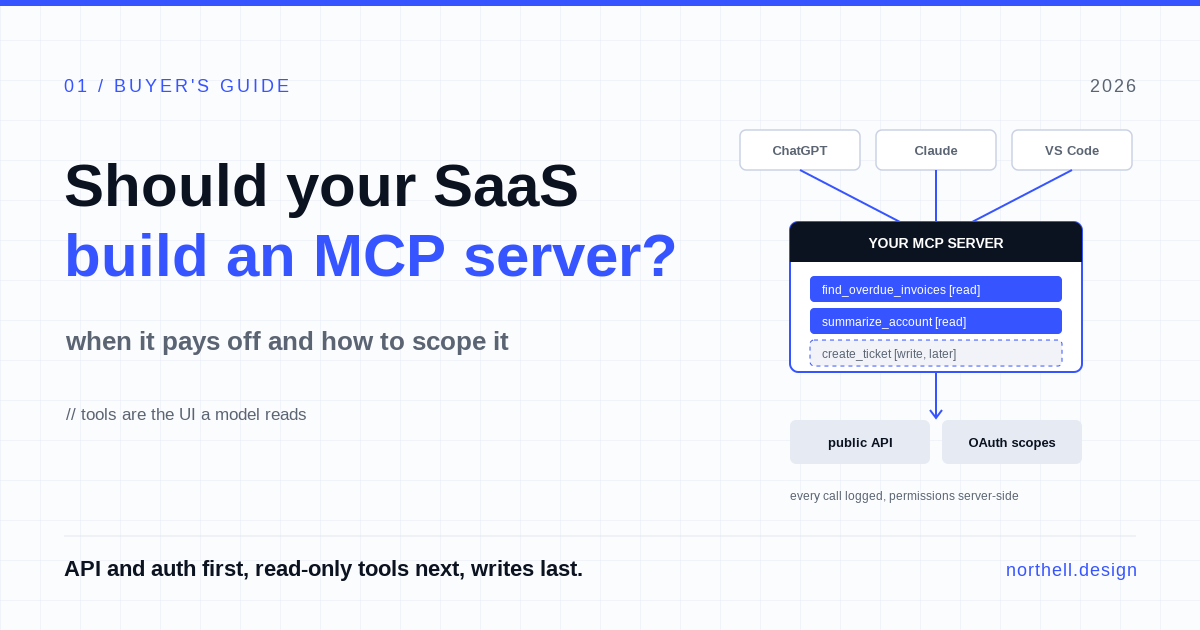
The Model Context Protocol is an open standard for connecting AI applications to outside tools and data. You run a server; AI clients connect to it. The server advertises tools (actions with typed inputs, such as find_overdue_invoices), resources (readable data) and prompts (reusable templates). The client, whether that is ChatGPT, Claude, Cursor or VS Code, shows the tool list to a model, and the model decides when to call which tool for the user.
The adoption question has largely been settled. When Anthropic donated MCP to the new Agentic AI Foundation under the Linux Foundation in December 2025, it said there were more than 10,000 active public MCP servers and 97M+ monthly SDK downloads across Python and TypeScript, and that MCP had been adopted by ChatGPT, Cursor, Gemini, Microsoft Copilot and Visual Studio Code. Those are Anthropic's figures, but the client list is easy to check, and it is the part that matters for a buyer: one server can reach several assistants your customers already use.
The important mental shift is this. Your REST API is read by developers who study the docs and write code once. Your MCP server is read by a model, at runtime, every time a user asks for something. The tool names, descriptions and input schemas are the interface. Vague descriptions produce wrong tool calls, and the user blames your product, not the assistant. That makes an MCP server closer to a UX project than to an integration ticket.
When an MCP server pays off, and when it does not
We use a simple test: an MCP server is worth it when three things are true at once. Customers want to get a job done from inside an AI assistant. Your product holds the data or the action that job needs. And you already have the foundations (a stable API, standards-based auth, a permission model) to expose that safely. Miss any one of them and the server either goes unused or becomes a liability.
| Situation | Recommendation | Why |
|---|---|---|
| B2B tool used by developers, analysts or ops teams who already work in Cursor, Claude, ChatGPT or VS Code | Build, starting read-only | Your users are already in MCP clients. Being reachable there is a retention feature. |
| Customers keep asking for "an AI integration" and you have a mature, versioned API with OAuth scopes | Build a pilot with 3 to 5 tools | The hard foundations exist; the MCP layer is mostly tool design and testing. |
| Your product is the system of record for something agents need (tickets, inventory, invoices, documents) | Build, and own it first-party | Someone will build an unofficial connector if you do not, and you will not control its permissions or quality. |
| No public API yet, or auth is session cookies only | Not yet. Fix the API and auth first | An MCP server without these duplicates logic and permission checks in a second place. |
| Consumer app whose users never touch an AI assistant for this job | Probably skip | You would be building for a channel your users are not in. An in-app AI feature may serve them better. |
| Highly regulated data (health, payments) with no audit trail for API access today | Wait until logging and data-flow review are done | Agent-driven access needs to be traceable before it is convenient. |
MCP server vs public API vs in-app AI
These three get confused in roadmap discussions, and they solve different problems. A public API lets developers integrate with you. An in-app AI feature brings a model into your product. An MCP server brings your product into someone else's AI assistant.
| Public REST API | MCP server | In-app AI feature | |
|---|---|---|---|
| Who uses it | Developers writing code | A model, on behalf of a user, inside an AI client | Your users, inside your UI |
| Where the user is | Another app built by a developer | ChatGPT, Claude, Cursor, VS Code and similar | Your product |
| Interface that matters most | Endpoint design and docs | Tool names, descriptions, schemas | Screens, prompts, review flows |
| Who pays for model tokens | Not applicable | Usually the client or the user's AI subscription | You |
| Main risk | Breaking changes for integrators | Wrong or manipulated tool calls | Inference cost and output quality |
| Depends on | Your domain model | A public API plus OAuth | Your data and a model provider |
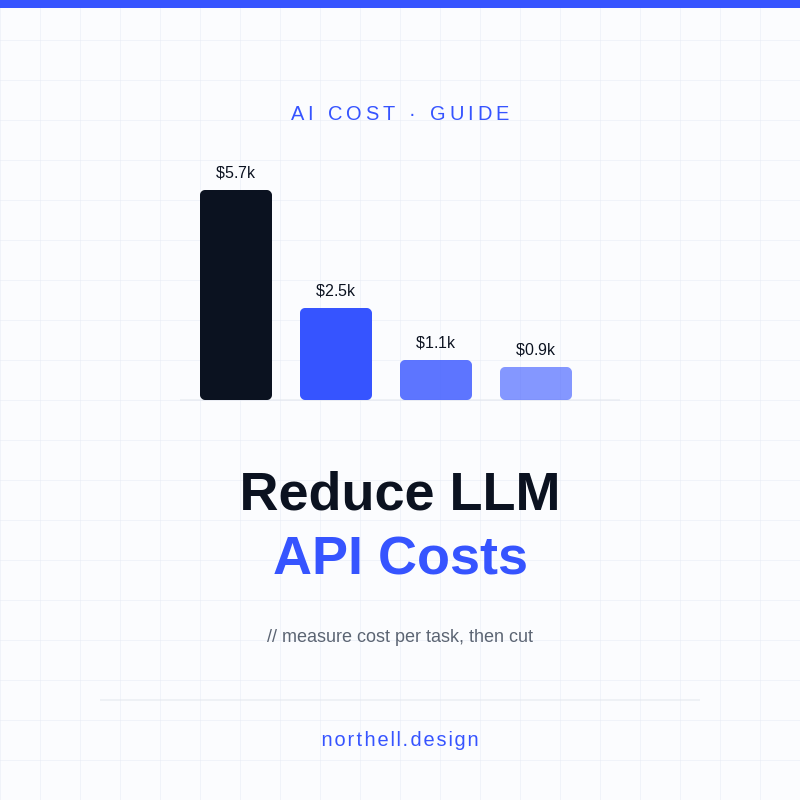
One line in that table deserves attention: with an MCP server, the model call usually runs in the client, so you are not paying for the reasoning. You pay for the API traffic it generates. For many SaaS companies that is a cheaper way to offer "AI" than building a chat panel and absorbing the token bill, which we cover in how to reduce LLM API costs.
Working on something like this? See our Claude Agent Development →
The protocol is still moving, so budget for it
MCP is not a finished, frozen standard. Two revisions in the past year changed things a server author has to care about.
The 2025-11-25 revision pushed authorization toward mainstream OAuth and OpenID Connect practice. Its changelog adds OAuth Client ID Metadata Documents as a recommended client registration mechanism, support for OpenID Connect Discovery, incremental scope consent and alignment of Protected Resource Metadata discovery with RFC 9728.
The 2026-07-28 revision was a bigger structural change. The official changelog lists, among other things:
- Protocol-level sessions and the Mcp-Session-Id header are removed from the Streamable HTTP transport. Servers that need state across calls now pass explicit handles as ordinary tool arguments.
- The initialize handshake is gone. Every request carries its protocol version and client capabilities, and servers must implement a new server/discover method.
- Experimental tasks (long-running operations) move out of the core into an official extension.
- Roots, Sampling and Logging are deprecated, as is Dynamic Client Registration in favour of Client ID Metadata Documents.
- Servers should return tools in a deterministic order, which the changelog says helps client caching and LLM prompt cache hit rates.
The same revision adopts a feature lifecycle policy with a minimum twelve-month deprecation window, which is good news: you get notice before something you rely on disappears. The practical point for a buyer is that an MCP server is not a one-off deliverable. Whoever builds it should plan for at least one protocol upgrade a year, keep the official SDK current and test against the clients your customers actually use. If an agency quotes you a fixed price with no maintenance line, ask who handles the next revision.
Security: what you own as the server author
MCP security problems are well documented. In April 2025 Invariant Labs described tool poisoning attacks, where "malicious instructions are embedded within MCP tool descriptions that are invisible to users but visible to AI models", and rug pulls, where "a malicious server can change the tool description after the client has already approved it." Their examples focus on malicious servers attacking clients, but a legitimate SaaS server sits in the same chain. Your tool results can carry text written by your users, and that text reaches the model too.
A trustworthy first-party server does a few things consistently:
- Enforces permissions on the server side, through the same checks your API uses. The model's intent is never an authorization decision.
- Uses narrow OAuth scopes so a user can grant read access without granting delete.
- Keeps tool definitions stable and honest. No instructions aimed at the model beyond what the tool does, and changes shipped as versioned releases, not silent edits.
- Marks user-generated content as data in results, and keeps it out of tool descriptions entirely.
- Limits write actions and makes destructive ones reversible or require confirmation.
- Logs every call with user, client, tool, inputs and outcome. The 2026-07-28 spec documents OpenTelemetry trace context propagation, so you can tie an agent's tool call to your existing tracing.
How to scope your first MCP server: 8 steps
- Pick three to five jobs, not endpoints. Talk to customers who already use AI assistants and write down the sentences they would type: "which invoices are more than 30 days overdue", "draft a renewal note for this account". Each job becomes a candidate tool. If you cannot name three, you are not ready.
- Design tools around those jobs. Resist mirroring your REST API one-to-one. Fifty thin endpoint wrappers make the model's choice harder and push a long tool list into every prompt. A few coarse tools with clear inputs usually work better. The same trade-off applies to agent design generally, which we compare in single agent vs multi-agent systems.
- Write tool descriptions like product copy. Say what the tool does, when to use it, what it will not do and what each input means. Then test the descriptions against the real clients your customers use, because models read them differently.
- Wire authentication properly. Use your existing OAuth server with scopes per tool group. OpenAI's developer docs for building an MCP server say to "use OAuth 2.1 when your plugin requires user authentication". If you do not have an OAuth server yet, that is the real first project.
- Ship read-only first. Search, look-up and summary tools carry far less risk and tell you quickly whether anyone uses the server. Add write tools one at a time, starting with the most reversible.
- Add logging, rate limits and tracing before launch. Agents can loop. Per-user and per-client rate limits protect your API; call logs tell you which tools get used and which get called wrongly.
- Skip custom UI at first. OpenAI's guidance is to "build the tools first. After the server works without custom UI, you can add UI to the MCP server for workflows that need visual interaction." That ordering is right for every client: get the tools correct, then decide whether a richer interface earns its cost.
- Plan the upgrade path. Pin the SDK version, track the spec changelog and write down who owns protocol upgrades. Version your tools the way you version your API, and announce changes.
What it costs to own, line by line
We are not going to quote a single number, because the spread is wide and depends almost entirely on what exists already. What we can do is list where the effort goes, so you can compare proposals on the same basis.
| Cost line | Small if you already have | Large if you are missing |
|---|---|---|
| Protocol plumbing | Use of an official SDK | Rarely large; SDKs cover transport and schemas |
| Tool design and description testing | Clear customer jobs and a product designer involved | Any clarity on what agents should do |
| Authentication | Standards-based OAuth with scopes | OAuth entirely, or scopes fine-grained enough for agents |
| Business logic | A versioned public API to call | An API, meaning logic gets rebuilt |
| Security review and logging | Audit logs and tracing on the API | Any record of who did what through the API |
| Ongoing maintenance | An owner and a release process | Anyone responsible for protocol upgrades |
Read the right-hand column honestly. If most of your rows land there, the MCP server is the last item on a longer roadmap that starts with your API and auth, and a proposal that skips those steps is selling you a demo.
Our view
For most B2B SaaS products with a real API, a small, read-only, first-party MCP server is now a sensible and fairly low-risk bet. It meets customers where they already work, it shifts inference cost to the client, and it gives you usage data on what people want agents to do with your product. The mistakes we see are the opposite extremes: wrapping every endpoint and calling it done, or treating the protocol as finished and never budgeting for the next revision. Design the tools like a feature, secure them like an API, and maintain them like both.
If you are weighing an MCP server against an in-app assistant or a broader agent build, Northell's AI development team can help you scope the jobs, the tool design and the auth work, and our SaaS development engineers can fill gaps in the API underneath. If that would be useful, get in touch and tell us what your customers are asking for.