A question we hear more often from founders and product leads goes something like this: "Your developers use AI now, so why isn't the estimate half of what it would have been two years ago?" It is a fair question. The tools are real, adoption is close to universal, and vendors are not shy about calling themselves AI-native. If the work is faster, the price should reflect it.
The honest answer is that AI makes some parts of software development cheaper, leaves other parts roughly where they were, and adds a few new costs that buyers rarely see coming. This article walks through what the better studies actually measured, where the savings land in a real project budget, and what to ask a vendor so that the savings show up in your contract and not only in their margin.
What the evidence actually says
There are plenty of vendor surveys claiming large productivity gains. They are not useless, but they mostly measure what developers report, not what they deliver. The four sources below are more useful because they either ran controlled experiments or surveyed developers at large scale with published methods.
| Source | What was measured | Headline finding |
|---|---|---|
| Cui, Demirer et al., three field experiments | 4,867 developers at Microsoft, Accenture and a Fortune 100 company, randomly given an AI code-completion assistant | 26% more completed tasks on average, with wide variation between experiments; less experienced developers gained more |
| METR randomized controlled trial (July 2025) | 16 experienced open-source developers, 246 real issues in repositories they knew well, mainly Cursor with Claude 3.5/3.7 Sonnet | Tasks took 19% longer with AI allowed; developers expected a 24% speedup and afterwards still believed they had been 20% faster |
| 2025 DORA report (Google Cloud) | Survey of nearly 5,000 technology professionals plus qualitative research | 90% use AI at work and over 80% say it raised their productivity; AI adoption is linked to higher delivery throughput but still has a negative relationship with delivery stability |
| Stack Overflow Developer Survey 2025 | Developer survey, AI section | 84% use or plan to use AI tools; 46% distrust the accuracy of AI output versus 33% who trust it; 66% are frustrated by answers that are "almost right, but not quite" |
Read together, these are not contradictory. They describe different kinds of work. The field experiments covered large populations of corporate developers, many of them earlier in their careers, doing a broad mix of tasks with an autocomplete-style assistant. METR studied senior people working on large, mature codebases where they already knew exactly what to do and the hard part was fitting changes into a complex system. In the first setting, a tool that drafts code saves time. In the second, the time spent prompting, reading and correcting suggestions can exceed the time it saves.
Two details matter for buyers. First, the gains in the field experiments were uneven, and the paper reports them with a large margin of error. "26% on average" does not mean 26% on your project. Second, METR's perception gap is a warning about how productivity gets reported. If experienced developers who were measurably slower still believed they were faster, a vendor's internal sense of "we are twice as fast now" is not evidence of anything.
Why a faster coder does not mean a proportionally cheaper project
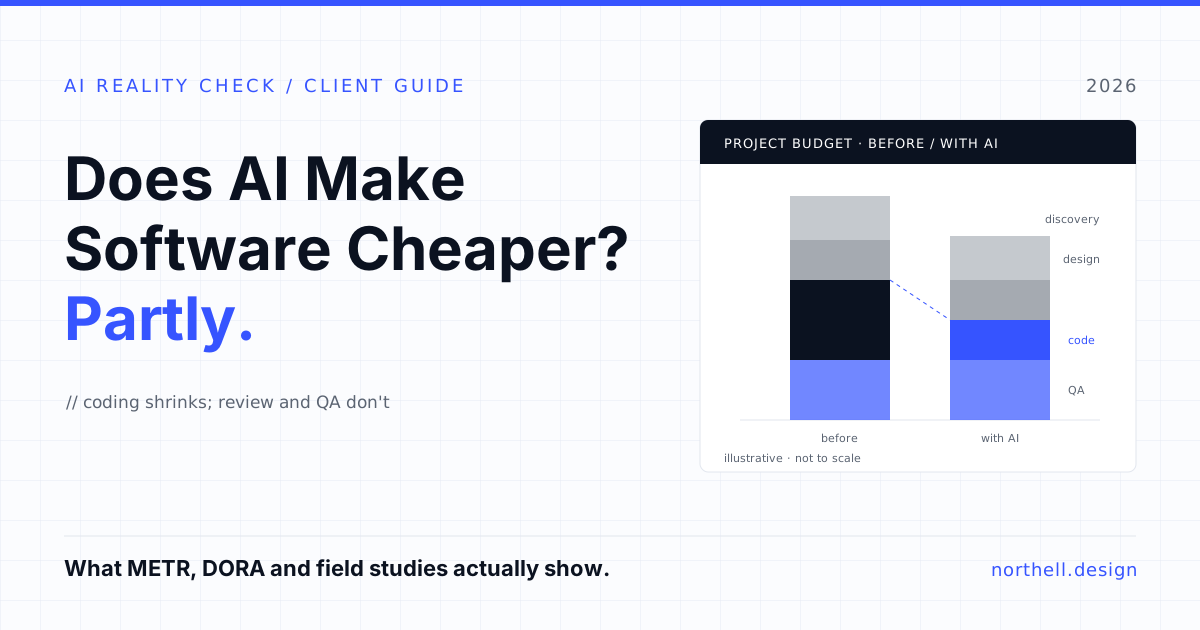
Even if AI tools made every line of code twice as fast to write, the project would not cost half as much. Writing code is one activity among many, and the others do not compress the same way. Here is how we see the main phases of a typical web or mobile product build. This is Northell's judgement from how projects run, not a measured dataset, so treat it as a framework for your own estimate rather than a statistic.
| Project phase | Effect of AI tools today | Why |
|---|---|---|
| Discovery and requirements | Low | AI can summarise interviews and draft specs, but the slow part is getting stakeholders to agree on what to build. |
| UX research and product design | Low to medium | Faster exploration and copy drafts; user testing, information architecture and design decisions still take the same time. |
| Architecture and technical design | Low | Useful as a sounding board. The decisions, and the cost of getting them wrong, stay with the team. |
| Routine feature code (CRUD, forms, standard UI) | High | Well-understood patterns are exactly what code assistants are good at. |
| Integrations with third-party and legacy systems | Low to medium | Undocumented APIs, odd data and edge cases need investigation, not generation. |
| Automated tests and documentation | Medium to high | Drafting tests and docs is a strong use case, as long as someone checks the tests assert the right things. |
| QA, security review, acceptance | Low, sometimes negative | More code produced faster means more code to review and test. |
| Project management and communication | Low | Meeting notes get easier; alignment does not. |
The pattern is clear enough. The phases where AI helps most are the ones that were already the most predictable. The phases that make projects late and over budget, unclear requirements, integration surprises and late-found defects, are the ones AI changes least. That is why, in our view, a good vendor might honestly quote you 10 to 20% less effort on a straightforward build, and close to nothing less on a complex one, even with the same tools.
The costs that grow when code gets cheap
Buyers tend to think of AI as pure saving. In practice a few line items get bigger.
Review and verification
Every piece of generated code has to be read by someone who understands it. The Stack Overflow figures are the clearest signal here: two thirds of developers deal with code that is almost right, and 45% say debugging AI-generated code takes more time. Almost-right code is the costly kind, because it passes a quick look in review and fails in production. If a vendor's AI speedup comes with lighter review, you are not saving money, you are deferring it.
Delivery stability
The DORA team's framing is useful: AI amplifies what is already there. Teams with good tests, small changes and fast feedback get faster. Teams without them push more change through weak controls, and the report found AI adoption is still associated with lower delivery stability. For a buyer, instability shows up as hotfixes, rollbacks and support hours, which often sit outside the original estimate.
Maintainability
Generated code can be verbose or inconsistent across a codebase if nobody enforces conventions. The cost of that is paid by whoever maintains the product next year, which may be you or your next vendor. Ask who owns code quality, and how it is checked, before the first sprint starts.
Tooling and data handling
AI coding tools are a paid subscription per developer, and some clients have legitimate rules about source code or data leaving their environment. Neither is a large cost on most projects, but both should be settled in the contract instead of discovered halfway through.
Working on something like this? See our Hire a Dedicated Developer →
Where AI genuinely cuts cost
None of this means the savings are imaginary. They are most reliable in these situations:
- Prototypes and proofs of concept. When the goal is learning, not production, AI tools and prototype builders can compress weeks into days. We covered where that approach stops working in our comparison of Lovable and custom development.
- Greenfield products built on standard stacks. Admin panels, dashboards, authentication, forms and typical API endpoints are well-trodden ground for code assistants.
- Test coverage on existing code. Drafting unit and integration tests for code that has none is slow, unglamorous work that AI speeds up noticeably.
- Migrations and upgrades. Moving between framework versions or rewriting repetitive patterns across many files suits agent-style tools, provided the test suite catches regressions.
- Documentation and onboarding. Generating first drafts of docs and explaining unfamiliar code helps new team members get productive sooner.
The savings are smallest in regulated domains such as healthcare and fintech, where compliance review and audit trails dominate; on large legacy systems with little documentation; and on projects where requirements are still moving. In those cases the bottleneck is knowledge and agreement, not keystrokes.
Questions to ask a vendor who says they are AI-native
"AI-native" is now a marketing phrase, so test it. A vendor who really uses these tools well should be comfortable answering the following:
- Which tools do your developers use, and for which tasks? A specific answer ("agent mode for migrations and tests, autocomplete for feature work, no AI on security-critical code") beats a general one.
- Where does the saving appear in my contract? Lower price, more scope for the same price, or earlier delivery. Any of the three is fine. "It improves our efficiency" without one of them is not.
- How do you review AI-generated code? Look for mandatory human review, automated tests in CI and named owners for each part of the codebase.
- How do you measure the effect? Good answers mention lead time, defect rates or rollbacks. Weak answers mention lines of code or developer surveys.
- What happens to my code and data? Which models see your source code, whether it can be used for training, and whether you can require tools that run in your own cloud account.
- Where do you not use AI? A team that can name the limits has thought about them. A team that uses it everywhere probably has not.
If you are comparing engineering-focused tools as well as vendors, our look at Claude vs Codex for engineering teams covers how the two main agent tools differ in day-to-day use.
How to structure the deal so you benefit
The pricing model decides who keeps the saving. On a time-and-materials contract, faster work should mean fewer billed hours, so you benefit automatically, but only if the vendor's estimates have been updated to reflect it. On a fixed-price contract, the vendor keeps any efficiency gain unless the price was set with it in mind. Neither is wrong. The point is to know which you are signing.
A practical approach is to ask for an estimate broken down by phase, like the table above, and to check where AI is assumed to reduce effort. That makes the vendor's claims specific and testable. It also gives you a sensible baseline when you read general guides on how much it costs to outsource software development, most of which were written before these tools were common.
Finally, agree on two or three delivery metrics up front, such as lead time per feature and the number of defects found after release. They are cheap to track and they turn "AI makes us faster" from a claim into something you can see.
The bottom line
AI makes software development cheaper in the same way better power tools make building a house cheaper: noticeably for some jobs, barely for others, and not at all for the parts that were really about planning, permits and inspections. The research supports real gains on routine work and real risks when speed outruns review. A buyer who expects a flat 50% discount will be disappointed. A buyer who asks where the savings land, and how quality is protected, can get a genuinely better deal.
At Northell we use AI tools in our design and engineering work and are happy to walk through exactly where they change an estimate and where they do not. If you are planning a product or an AI feature and want a phase-by-phase estimate you can check, get in touch and we will show you the assumptions behind the numbers.