Most teams building AI features worry about the model. Will it be accurate enough? Which provider? Should we fine-tune? Those questions matter, but they are rarely why an AI feature fails with real users. Features fail because people either trust them too much and get burned, or trust them too little and never use them. Both are design problems.
The numbers show how wide the gap is. In the 2025 Stack Overflow Developer Survey, 84% of respondents said they use or plan to use AI tools, yet 46% said they distrust the accuracy of the output and only 33% said they trust it, with about 3% trusting it highly. The most common frustration, picked by 66%, was AI answers that are "almost right, but not quite". And when developers do not trust an AI answer, 75.3% said they would ask another person. These are technical, AI-literate users. Your customers are unlikely to be more forgiving.
This guide is for founders, product leads and CTOs who are about to ship an AI feature, whether that is a support assistant, a drafting tool inside a SaaS product or an agent that takes actions. It covers the decisions that shape trust, in the order you should make them.
The Goal Is Calibrated Trust, Not More Trust
It is tempting to treat trust as a number you want to push up. That is the wrong target. If a feature is right 90% of the time, the ideal user trusts it about 90% of the time and checks the rest. Google's People + AI Guidebook frames its chapter on the subject around helping users "build and calibrate" their trust, and that word, calibrate, is the whole job.
Overtrust is where the expensive failures live. In Moffatt v. Air Canada (2024 BCCRT 149), the airline's website chatbot told a grieving customer he could claim a bereavement fare after travelling. The airline's own policy page said otherwise. Air Canada argued it should not be liable for the chatbot. The British Columbia Civil Resolution Tribunal disagreed: "It makes no difference whether the information comes from a static page or a chatbot," and it found the airline "did not take reasonable care to ensure its chatbot was accurate". The award was small, $812.02, but the lesson for designers is large. The customer had no reason to doubt the bot, because nothing in the interface gave him one: no source, no link to the policy, no signal that this answer was generated rather than published.
Undertrust is quieter but just as costly. A feature that users double-check every time saves nobody any time. They stop using it, and your AI roadmap gets judged on usage numbers that never recover.
A Step-by-Step Method for Designing Trustworthy AI Features
The steps below borrow from two well-tested sources: Microsoft's 18 Guidelines for Human-AI Interaction, published at CHI 2019 and validated with 49 design practitioners against 20 AI-infused products, and Google's guidebook. Both are older than today's agents, and both still hold up well. What we add is the order of decisions and where teams usually go wrong.
Step 1: Decide How Much the AI Is Allowed to Do
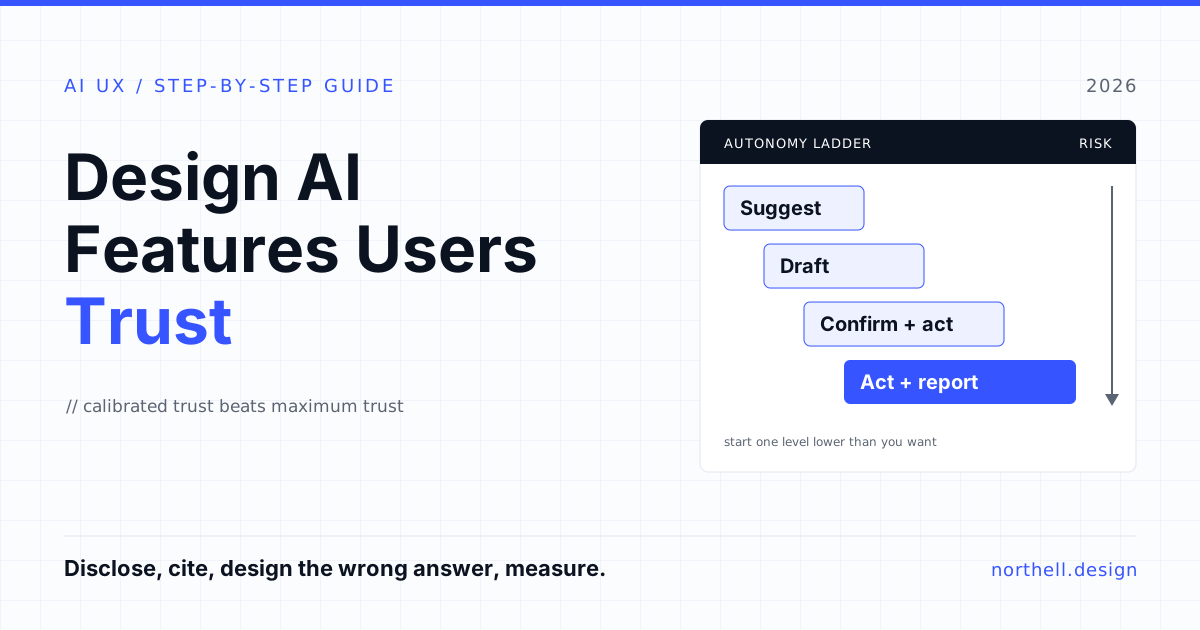
Before any wireframes, set the autonomy level for each AI capability. This single decision determines most of the interface. Base it on two questions: how much does a wrong output cost, and how easily can it be reversed?
| Autonomy level | What the AI does | Fits when | Example |
|---|---|---|---|
| Suggest | Offers options; the user chooses and acts | Errors are costly or hard to spot; accuracy is unproven | Proposed reply to a customer complaint |
| Draft | Produces a complete output the user edits and sends | Output is reviewable in seconds; the user owns the result | First draft of a claim summary or report |
| Act with confirmation | Prepares an action and waits for approval | The action is consequential but routine | Booking travel, issuing a refund under a limit |
| Act and report | Acts on its own and logs what it did, with undo | Errors are cheap, reversible and quickly noticed; accuracy measured on real traffic | Tagging and routing inbound tickets |
Our opinion: almost every first release should start one level lower than the team wants. You can promote a feature from draft to act-with-confirmation once you have data. Demoting a feature after it has embarrassed a customer is much harder, because the trust you lost does not come back when you change a setting.
Step 2: Set Expectations at First Touch
Microsoft's first two guidelines are "Make clear what the system can do" and "Make clear how well the system can do what it can do." Most AI features skip the second. A blank chat box with "Ask me anything" promises everything and explains nothing.
Better first-touch design is specific. Show three or four example tasks the feature is genuinely good at. Name what it cannot do ("I can't see invoices older than 2023" or "I don't have access to your contract terms"). If quality varies by task, say so in plain language at the point of use, not in a help article.
Disclosure is now also a legal floor in Europe. Article 50(1) of the EU AI Act requires providers to design AI systems that interact directly with people so those people are informed they are interacting with an AI system, unless that is obvious to a reasonably well-informed person. Article 50(5) requires the information to be "clear and distinguishable" and given "at the latest at the time of the first interaction". Per Article 113, the Regulation applies from 2 August 2026. A small "AI" label buried in a footer is a weak way to meet that bar. A clear statement in the first message or above the input is better design and a safer reading of the rule.
Step 3: Make Verification Cheap
Guideline 11 is "Make clear why the system did what it did." For language-model features, the most useful form of explanation is usually not a paragraph about how the model works. It is the evidence: which documents, records or data points the answer came from, linked so the user can check in one click.
- Cite at the claim level, not the answer level. A list of five sources at the bottom of a long answer forces the user to hunt. Inline citations next to the specific statement let them check the part that matters.
- Show the inputs for actions. If an agent is about to issue a refund, show the order, the policy clause and the amount it used, side by side.
- Say when nothing was found. "I couldn't find this in your knowledge base" is one of the most trust-building sentences an assistant can produce, because it proves the system will not bluff.
- Be careful with confidence scores. A percentage a model generates about its own answer is not a measured probability. Unless you have tested calibration against labelled outcomes, a "92% confident" badge is decoration that invites overtrust.
If the Air Canada chatbot had linked its bereavement answer to the actual policy page, the customer would likely have spotted the contradiction. Citations are not only a UX nicety; they are a cheap control against your own system's mistakes.
Step 4: Design the Wrong Answer First
The People + AI Guidebook gives a whole chapter to errors and graceful failure, and it deserves one. In conventional software, error states are a few screens at the end of the project. In AI features they are a constant, so design them first, using real bad outputs from your model rather than lorem ipsum.
- Edit in place. Guideline 9, "Support efficient correction", means the user should be able to fix a wrong output faster than producing it themselves. If correcting a draft takes longer than writing it, the feature has negative value.
- Undo everything the AI did. For act-and-report features, a visible activity log with one-click reversal is not optional.
- Regenerate with direction. "Try again" alone produces a different roll of the dice. "Shorter", "more formal" or "use the 2026 price list" gives the user control.
- Escalate to a person. Given that three quarters of developers in the Stack Overflow survey said they would ask a human when they distrust an AI answer, make that route obvious and pass the context along so the user does not have to repeat themselves.
- Scope down when unsure. Guideline 10 is "Scope services when in doubt." An assistant that asks a clarifying question, or handles part of a request and hands back the rest, is more trustworthy than one that confidently does the wrong thing.
Step 5: Make Feedback Do Something Visible
Thumbs-up and thumbs-down buttons are everywhere and mostly ignored, because users see no effect from pressing them. Guideline 15 asks you to "Encourage granular feedback", and the key word is granular. Let users flag a specific wrong fact, a wrong source or a wrong tone. Then close the loop where you can: if a user corrects a field the system extracted, remember it for that account; if a source keeps getting flagged, review it. When people can see that corrections stick, they engage with the feature as a colleague rather than a slot machine.
Two further guidelines matter once the feature is live: "Update and adapt cautiously" (14) and "Notify users about changes" (18). Swapping the underlying model or prompt changes behaviour. Users who had calibrated their trust to the old behaviour deserve to know.
Step 6: Show Progress Honestly for Slow and Multi-Step Work
Agents that search, read and act can take tens of seconds or longer. A spinner gives users nothing to judge. A short, real step log ("Searched 3 policy documents", "Found order #4821", "Drafting refund note") does three jobs: it reassures, it shows the inputs in use, and it lets users stop a run that is heading the wrong way. Keep it real. Fake typing animations or invented "thinking" text that does not reflect actual steps is theatre, and users notice.
Step 7: Measure Trust Through Behaviour
Satisfaction surveys tell you whether people like a feature. They do not tell you whether their trust is calibrated. Behaviour does. Instrument these from day one:
| Metric | What it tells you | Warning sign |
|---|---|---|
| Acceptance rate | How often outputs are used | Near 100% on a task with known error rates suggests rubber-stamping |
| Edit rate and edit size | How much work users do after accepting | Large edits on most outputs: the draft is not saving time |
| Undo or reversal rate | How often autonomous actions were wrong | Rising after a model or prompt change |
| Escalation rate | How often users give up on the AI | Escalations that repeat the same question the AI was asked |
| Source click-through | Whether users verify | Zero clicks on high-stakes answers: verification is too hard or users are overtrusting |
| Regeneration rate | Dissatisfaction with first outputs | Multiple regenerations before acceptance |
Pair the metrics with a regular sample review: take accepted outputs, check them, and count the errors users missed. That number, more than any other, tells you whether the feature has the right autonomy level and the right verification design.
Patterns That Look Trustworthy but Backfire
- Human personas for bots. A name, a face and a cheerful backstory make people assume human judgement is involved. That raises expectations the system cannot meet, and in the EU it sits uneasily with the disclosure duty.
- AI sparkle icons on everything. When every button has the same AI badge, users cannot tell the deterministic features from the probabilistic ones, so they either check everything or nothing.
- Auto-applying changes silently. Even when the change is right, users who discover an edit they did not make start doubting every other record.
- Long, fluent answers by default. Length reads as authority. Shorter answers with sources are easier to verify and less likely to bury the one wrong sentence.
- Apologising without fixing. "Sorry for the confusion" followed by the same mistake teaches users the system cannot learn, which is worse than no apology.
Working on something like this? See our Claude Agent Development →
Questions to Ask Before You Ship (or Hire Someone to Build It)
If you are commissioning an AI feature from a design or development partner, these questions separate teams that have shipped AI to real users from teams that have shipped demos:
- What autonomy level do you recommend for each capability, and what evidence would let us raise it?
- Can you show the designed states for a wrong answer, a partial answer and "nothing found", using real model output?
- How will users verify an answer, and how many clicks does it take?
- Where and when do we disclose that the user is interacting with AI?
- Which behavioural metrics will we track from launch, and who reviews the sample of accepted outputs?
- What happens to users' calibrated expectations when we change the model or prompt?
A partner who answers these with specifics, not reassurance, will save you a lot of rework. If the answers are all about which model is best, the trust work has not been thought through yet.
Where to Start
If you only do three things, do these. Set the autonomy level one notch lower than feels necessary. Put sources next to claims. Build the wrong-answer path before the happy path. Everything else in this guide refines those three decisions.
Northell designs and builds AI features as part of product work, from UI/UX design for AI-assisted workflows to AI development. If you already have an AI feature in production and want to know why adoption is stalling, a usability audit built around the behavioural metrics above is a good first step. When you are ready to talk it through, tell us what you are building.