Bubble is one of the few app builders that can take a non-technical founder from idea to paying customers without hiring an engineer. Plenty of real businesses run on it. So when a founder asks us how to migrate from Bubble to custom code, our first question is usually not "how" but "why", because the answer decides whether you need a full rebuild, a partial move, or just a better-optimised Bubble app.
This guide is for founders, CTOs and product leads who are weighing that decision. It covers what you can and cannot take out of Bubble, the signals that justify a migration, and a step-by-step plan that keeps your data consistent and your users logged in (or at least only mildly inconvenienced).
The starting fact: there is no code to export
Bubble is a visual programming platform. It does not generate React or Node code behind the scenes that you can download later. Bubble's FAQ says it plainly: apps are built visually and run on the Bubble platform, "so there's no traditional codebase to export." The same answer says you can export user data as CSV, access it through Bubble's API, and that if you need to migrate, Bubble "can provide a raw export of your application logic as a JSON file to help with the process."
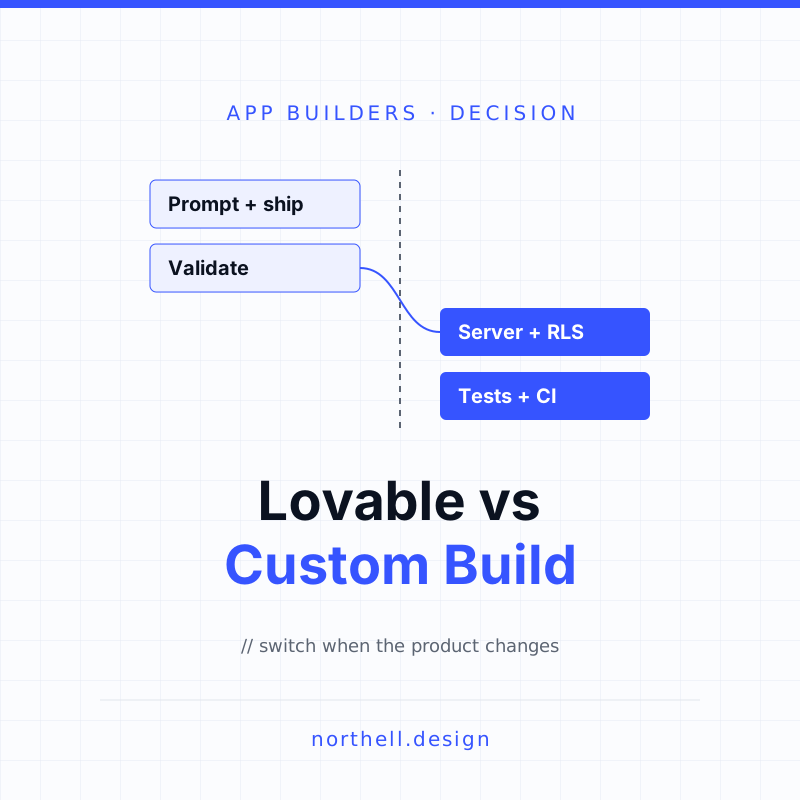
That is a fair offer, and it is more than some platforms give you. But it sets expectations. A Bubble to custom code migration is a rebuild with a very good specification, not a lift-and-shift. This is the main difference from AI code generators such as Lovable, where you do get a codebase you can hand to engineers (we covered that path in Lovable vs custom development).
To be balanced, Bubble also makes a public commitment in the same FAQ: if it ever shut down, it would release its source code under an open-source license so customers could keep running their apps. Platform risk alone is not a strong reason to leave.
What you can take with you, and what you rebuild
| Part of your app | Can it leave Bubble? | What to plan for |
|---|---|---|
| Database records | Yes: CSV export or the Data API | Scripts that page through every data type, map Bubble's references to foreign keys and can be re-run |
| Application logic (workflows, conditions) | Only as a raw JSON export on request | Treat it as a specification; every workflow is rewritten and tested |
| User passwords | No, according to migration vendors and community reports | A set-new-password or magic-link flow at cutover |
| Uploaded files | Yes, but they need copying | A job that downloads each file referenced in your records and re-uploads it to your own storage |
| Screens and design | No | Rebuild the UI; a good moment to fix known UX problems, not to redesign everything |
| Privacy rules | No | Re-implement as server-side authorization, with tests for each role |
| Plugins | No | Replace each with a library or a direct API integration |
The password row surprises people most. Bubble does not document a hash export, and KodExport, a company that migrates Bubble apps, states that passwords "cannot be exported" and users need to reset them. A thread on the Wappler community forum reports the same. Plan for it rather than hoping for a workaround.
Should you migrate at all?
Our opinion: most Bubble apps that are working should stay on Bubble longer than their founders think. A rebuild costs months of engineering during which you ship few new features. That is only worth it when Bubble is blocking something specific. Here are the signals we take seriously.
1. Workload costs are growing faster than revenue
Bubble bills server activity in workload units (WU). According to Bubble's pricing page, the Starter web plan includes 175K WU a month, Growth 250K and Team 500K, at $32, $119 and $349 a month billed annually. The pricing and workload FAQ sets overages at $0.30 per 1,000 WU if you have no workload tier subscription, and warns that if overages are disabled and you hit the limit, the app is taken offline until you enable overages, buy a tier or the next billing period starts.
A hypothetical example using those published figures: an app on the Growth plan that consumes 1 million WU a month pays $119 plus 750,000 extra WU at $0.30 per 1,000, which is $225, so $344 a month. That is not a reason to spend six figures on a rebuild. It becomes one when usage is doubling every few months, margins are thin, and Bubble's own workload optimisation checklist has already been worked through.
2. You keep running into hard limits
Bubble's hard limits page lists constraints that matter for data-heavy products. Workflows that run longer than 300 seconds time out. A list of things stored on another thing is capped at 10,000 records. The Data API and Workflow API accept 15,000, 25,000 or 35,000 requests per minute on Starter, Growth and Team plans. If your roadmap includes heavy reporting, long-running imports or large batch jobs, you will spend more and more time designing around these limits.
3. Compliance and security reviews need evidence you cannot produce
Enterprise buyers, banks and healthcare customers often ask for code review, automated tests, change history and penetration test results tied to specific releases. Some of this is possible on Bubble, especially on higher plans with dedicated hosting. But if every security questionnaire turns into a negotiation, owning the code is often the cleaner answer.
4. Your team is becoming an engineering team
Once you have three or four developers, the questions change: code review, branching, automated tests, shared libraries, hiring from the general engineering market. Bubble has version control built in, but most experienced engineers you hire will be faster and happier in a conventional stack.
Weak reasons to migrate
- "Investors don't like no-code." Some don't. Revenue and retention matter more, and a rebuild that stalls your roadmap for six months does not help either.
- "The app is slow." Often a data model or workflow design problem that would follow you into any stack. Fix it in Bubble first; you will learn what to build differently.
- "We want to redesign." A redesign does not need a re-platform. Doing both at once doubles the risk.
Working on something like this? See our Custom Software for Startups →
Three options, not two
| Option | Best when | Main risk |
|---|---|---|
| Stay and optimise | Costs are tolerable, no hard limit is blocking the roadmap, team is small | Putting off a migration that will be bigger later |
| Hybrid: move heavy logic out | One or two processes hit limits or drive most of the workload (imports, reporting, AI features) | Two systems to run; needs clear ownership of each data type |
| Full migration in slices | Several signals above apply and the product has found its market | Long parallel period; scope creep if mixed with a redesign |
The hybrid option is underrated. Bubble can call any REST API through its API Connector and, per its FAQ, connect to external SQL databases including PostgreSQL. Moving one expensive background process into a small service you own can cut workload and remove a hard limit without touching a single screen. It is also the first stage of a full migration, so it is rarely wasted work.
The migration plan, step by step
This is the sequence we recommend for a full move. It follows the strangler fig approach Martin Fowler describes: grow the new system around the old one and move behaviour across in pieces, rather than switching everything over in one weekend. The same principles apply to any legacy app migration; Bubble just adds a few specific traps.
Step 1: Inventory everything
List every data type and field, option set, page, reusable element, frontend workflow, backend API workflow, scheduled job, plugin, external API call and privacy rule. Ask Bubble for the JSON logic export at this point; it is the closest thing to a complete specification you will get. Record which workflows touch money, which send emails or notifications, and which run on a schedule. Those are the ones that break quietly.
Step 2: Freeze the scope at parity plus a short fix list
Write down what the new system must do on cutover day: the same features, plus a small, agreed list of known problems to fix. Everything else goes in a backlog for after launch. Mixing a re-platform with a product redesign is the most common reason these projects run long.
Step 3: Design the target data model
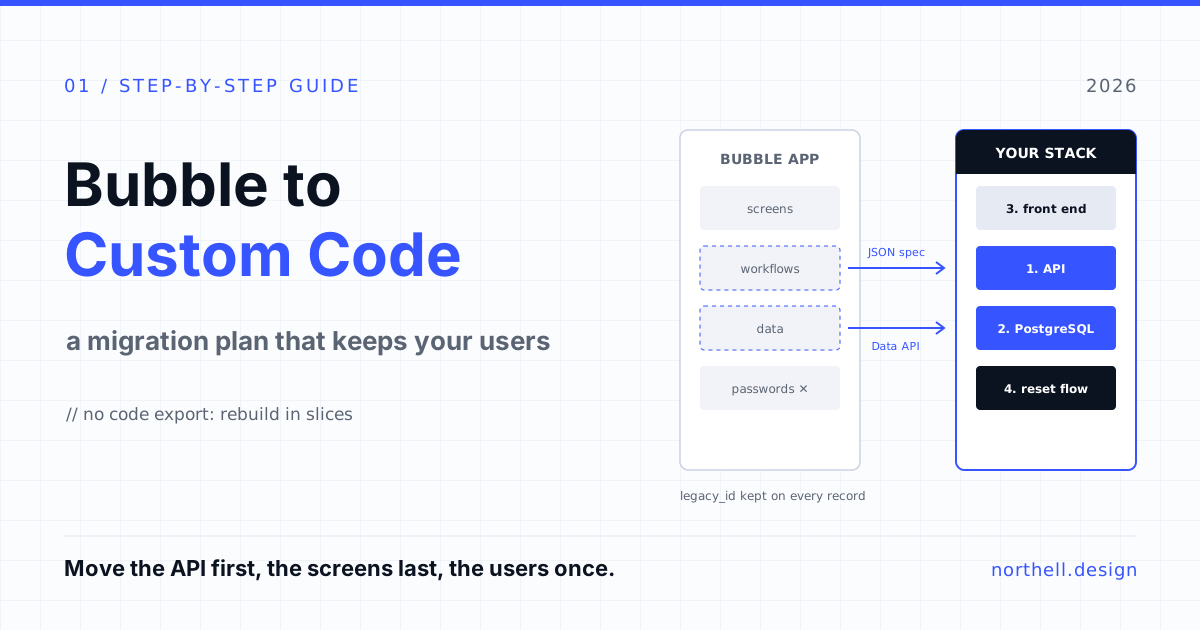
Bubble's database is flexible in ways that relational databases are not. Lists of things stored on a record become join tables. Option sets become enums or lookup tables. Fields that were added "just in case" and never filled can be dropped. Keep Bubble's unique ID for every record in a legacy_id column. You will use it for delta syncs, for reconciling counts and for tracing any record back to the original if something looks wrong after launch.
Step 4: Pick a boring stack
The new stack should be easy to hire for and well documented: for most web products that means a relational database such as PostgreSQL, a typed backend and a mainstream front-end framework. The point of leaving Bubble is ownership and predictability. Choosing something exotic undercuts both. If you need help scoping this, our custom web application development team works through exactly these choices with clients.
Step 5: Build your API first and let Bubble call it
Before you rebuild a single screen, stand up your own backend and move the heaviest or riskiest backend workflows into it. Bubble calls your API for those operations. Users notice nothing; your workload bill drops; your team gets real production traffic on the new code early. Repeat for each backend workflow until Bubble is mostly a front end.
Step 6: Write repeatable data migration scripts
Use the Data API rather than one-off CSV exports for anything large. Bubble's Data API documentation explains that results come in pages of 100 by default, with cursor and limit parameters for paging and a remaining count to tell you how much is left. Write scripts that:
- can be run many times without creating duplicates (upsert on legacy_id);
- migrate in dependency order, so referenced records exist before the records that point to them;
- copy uploaded files to your own storage and rewrite the URLs;
- produce a reconciliation report: record counts per type, plus spot checks of totals that matter, such as balances or order values.
Run a full migration into a staging environment early, then again every week. By cutover day it should be routine.
Step 7: Rebuild the front end against your API
Now rebuild the screens, starting with the flows that matter most to revenue. Because the logic already lives in your API, this is mostly UI work. It is also where privacy rules turn into proper authorization checks on the server, with tests for each user role. Do not rely on the front end to hide data.
Step 8: Plan authentication and the password reset
Since you cannot move password hashes, decide early how users will get back in. Options include a forced set-new-password email on first login, magic links, or adding single sign-on for business customers. Tell users a week before cutover, again on the day, and make the reset email impossible to mistake for phishing: your domain, your branding, no unexpected links.
Step 9: Cut over, then keep Bubble read-only for a while
On cutover day: freeze writes in Bubble, run a final delta sync of records changed since the last full run (Bubble records carry a Modified Date field, which makes this straightforward), compare the reconciliation report, switch DNS, and watch error rates closely. Keep the Bubble app available in read-only form for a few weeks so support can check old records if a customer disputes something. Only then downgrade or cancel the plan.
Mistakes we see most often
- Estimating by page count. Pages are the cheap part. Backend workflows, scheduled jobs, permissions and data quality drive the effort.
- Skipping the data clean-up. Years of Bubble use leave empty fields, orphaned records and inconsistent option values. Clean data before migration, not after.
- Forgetting scheduled workflows. Reminders, renewals and nightly jobs keep running in Bubble until you turn them off. Run them in both systems by accident and customers get double emails or double charges.
- A big-bang launch. Moving logic, data and screens on the same weekend gives you no way to tell which part broke.
- No owner for the old app. Someone must decide when Bubble becomes read-only and when it is switched off.
Where AI coding tools fit
AI assistants are genuinely useful in this kind of project. They can turn a workflow from the JSON export into a first draft of a function, scaffold CRUD screens, and write the boring parts of migration scripts. They do not decide your data model, they do not know which edge cases your customers rely on, and they will happily generate authorization logic that looks right and is not. Use them to go faster on work an engineer reviews, not as a replacement for the engineer. If you are building a SaaS product that customers pay for, that review is part of what they are paying for.
The short version
Leaving Bubble is a rebuild, so make the decision on evidence: workload costs, hard limits, compliance demands or team growth. If only one process is the problem, move that process out and stay. If several apply, migrate in slices, starting with your own API, keep Bubble's IDs, script the data migration until it is boring, and plan the password reset from day one.
If you are weighing this decision, Northell can review your Bubble app, do the inventory and tell you whether a hybrid setup or a full migration makes sense, with a plan sized slice by slice. You can get in touch here; we are just as happy to tell you to stay on Bubble if that is the better answer.